1 Install R and RStudio
Why do we need to install both R and RStudio? Well, the answer is the following: R is the programming language whereas RStudio is the integrated development environment (IDE) for R. You can think of R as the thing that turns your code into commands that your computer runs and RStudio as a fancy text editor (although it is so much more than that!).
1.1 Installing R
- Go to the R Project website.
- On the left side bar, click on “CRAN” under “Download”. Choose the mirror you wish to download from (e.g., https://mirror.rcg.sfu.ca/mirror/CRAN/)
- Download the correct version for your OS. Ensure to download the latest release of R.
1.2 Installing RStudio
- Go to the RStudio website.
- Navigate to the RStudio page and download RStudio Desktop.
If you have a pre-existing installation of R and/or RStudio, we highly recommend that you update both. If you upgrade R, you’ll need to update any packages you have installed. Type the following command into the Console in RStudio:
update.packages(ask = FALSE, checkBuilt = TRUE)Once you’ve installed an updated version of R and RStudio, open RStudio. You should get a window similar to this screenshot, but yours will be more boring because you haven’t written any code or made any figures yet!
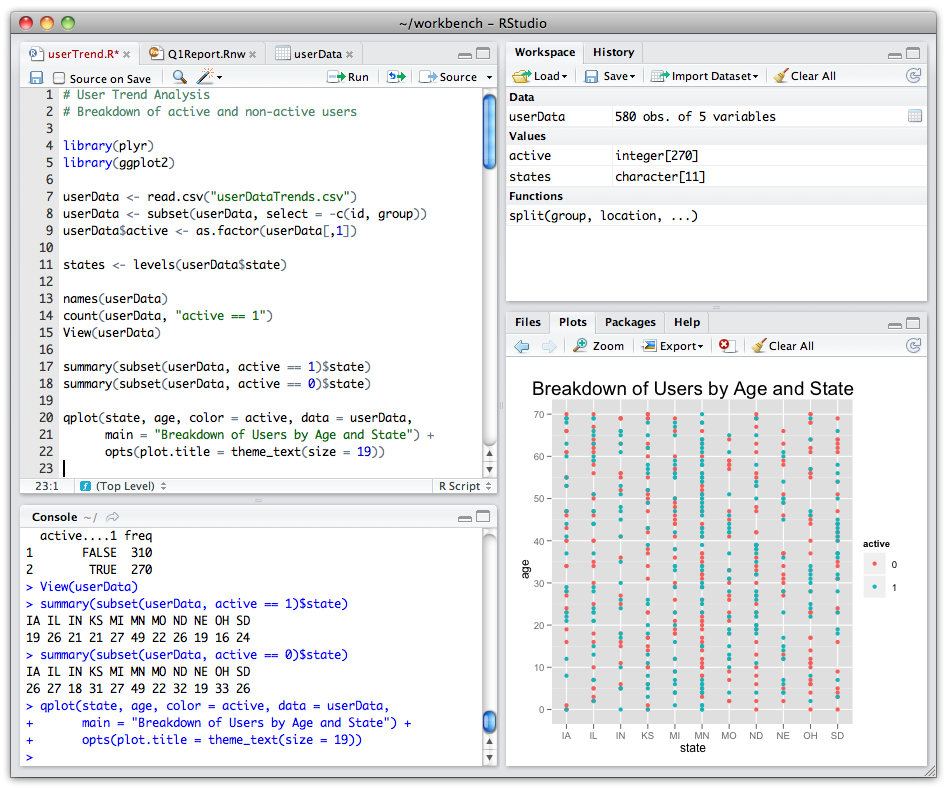
Place your cursor in the pane called “Console”, which is where you interact with R. Type print('Hello World!') in the console and hit the enter or return key. You should see “Hello World!” print to the screen. If you do, you’ve succeeded in installing R and RStudio.
1.3 Add-on packages
R contains a huge number of packages that enhances its functionality. People often share useful code they have developed as a package via CRAN and GitHub. To install a package from CRAN (e.g., the tidyverse), type this into the R console:
install.packages('tidyverse', dependencies = TRUE)By including dependencies = TRUE, we are including any additional packages our target package requires. Please also install gapminder, ggsignif, and ggpubr. Without further ado, let’s jump into our adventure with R!